
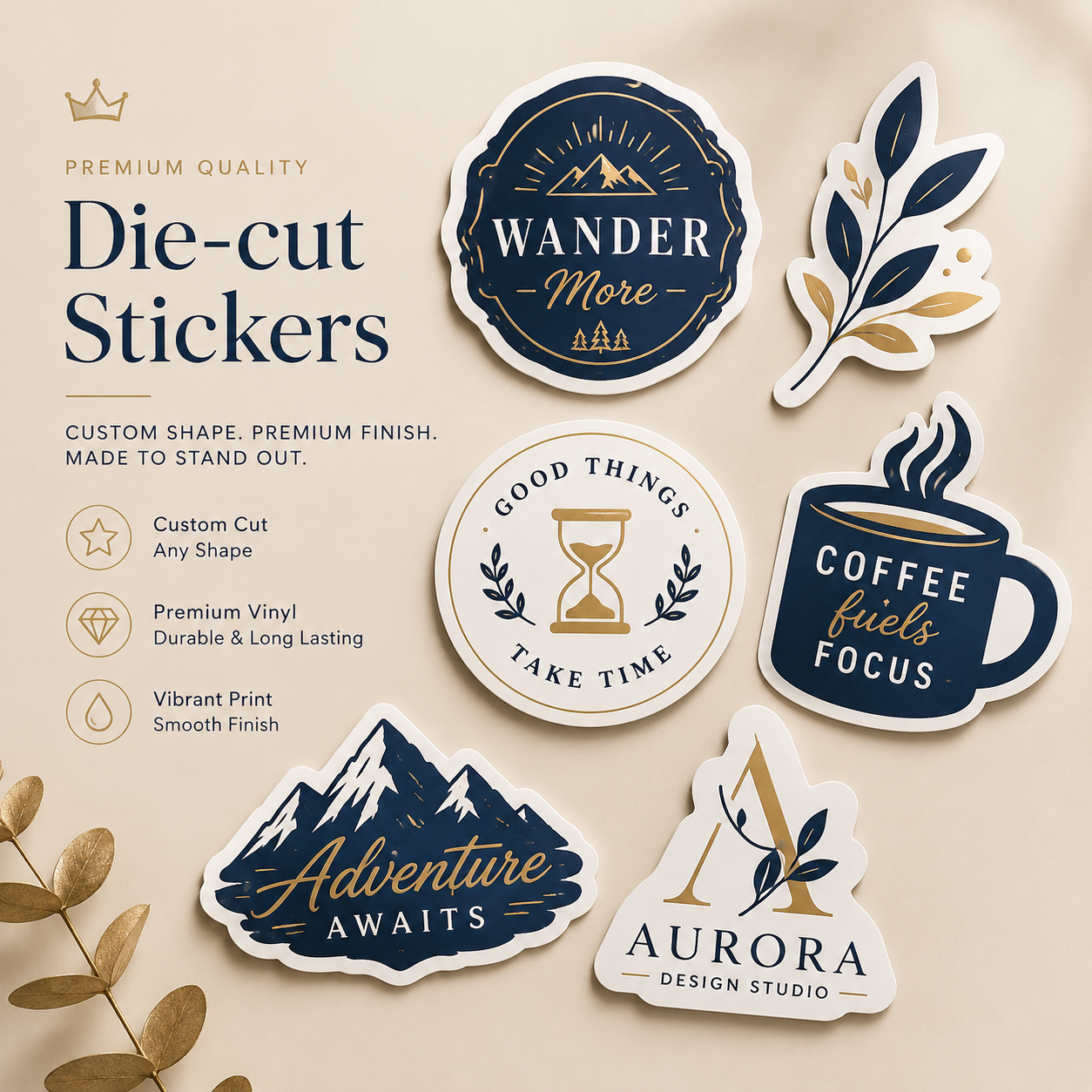
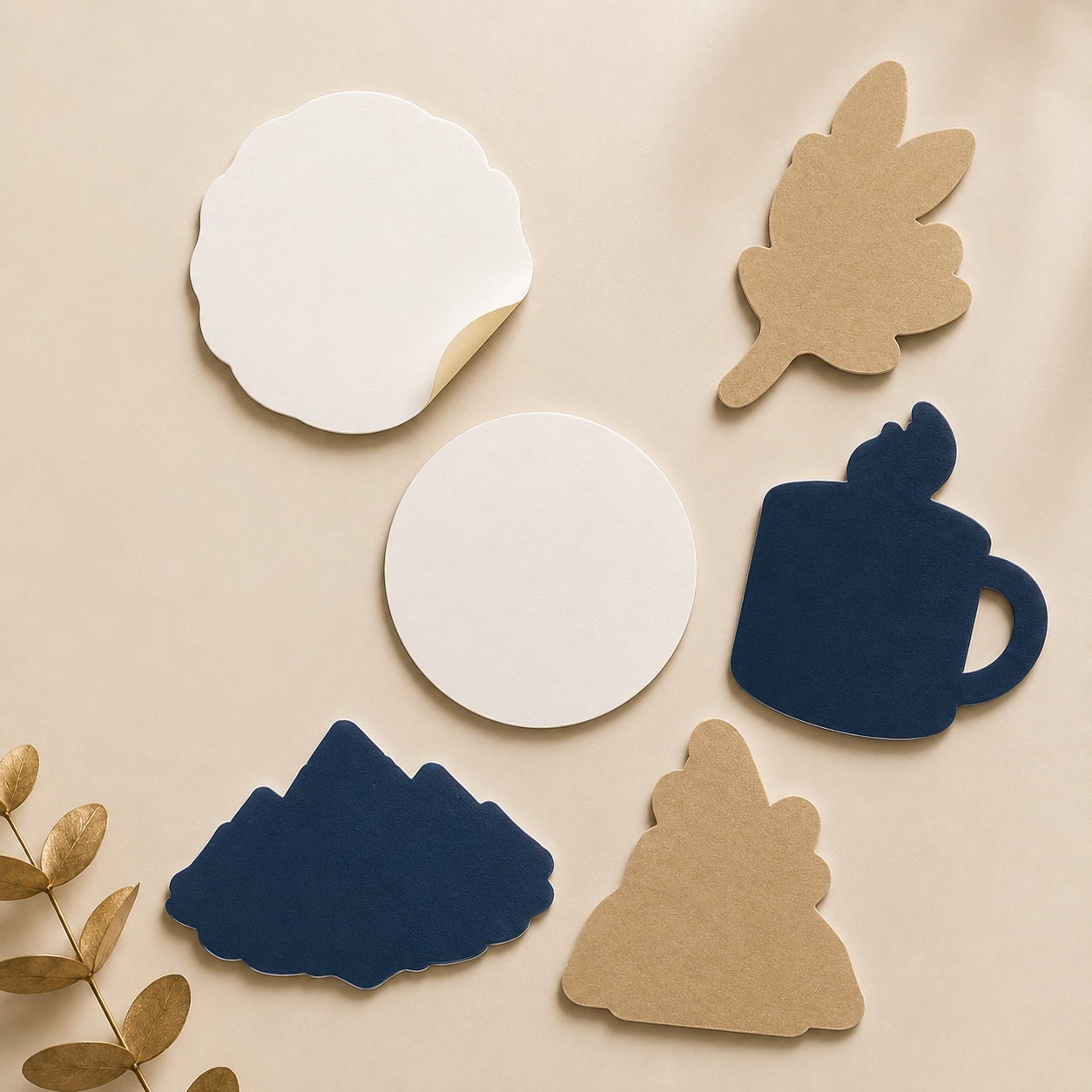

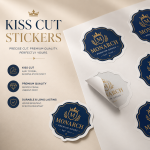
Premium, fully customisable stickers precisely cut to the shape of your design. Printed on durable, waterproof and scratch-resistant material, they are ideal for packaging, laptops, bottles, giveaways and retail promotions. Available with optional white underpin, foil and selective-gloss finishes.
Payment Methods:

Die-cut stickers are cut precisely around the outline of your artwork or logo, giving you complete freedom over the finished shape. Unlike conventional circular, square or rectangular stickers, their custom profile creates a more distinctive and attention-grabbing appearance.
These versatile stickers can be applied to packaging, notebooks, laptops, water bottles and many other surfaces, helping your branding gain visibility wherever they are used.
Customers often keep, use and share stickers received with purchases, as complimentary extras or through promotional giveaways. This allows them to promote your brand naturally. Made from high-quality materials that are durable, waterproof and resistant to scratches, die-cut stickers help your design remain protected over time.
They are a simple and cost-effective promotional option for trade shows, retail campaigns, online competitions and other marketing activities, keeping your brand visible and memorable.
Both formats work well for branding, but their cutting and backing styles differ.
UK shipping is free, although exceptions apply.
Once your order has been placed, you can upload the print-ready artwork. Please submit one multilayer PDF prepared according to the following requirements:
No cutting path or separate cutting layer is needed for circular, square or rectangular labels, as the appropriate cutting shape will be added automatically.
For a custom-shaped sticker, include a vector cutting guide with these settings:
Where possible, avoid placing line borders around the outer edge of the design. The cutting process typically has a movement tolerance of approximately 2 mm, so artwork that is perfectly centred when submitted may shift slightly during printing.
View our Help Centre guidance on using borders around circular stickers for more information.
You do not need to include an underpin layer when ordering a solid white-fill underpin. It will be applied automatically across the complete design.
For selective white underpin on transparent material, create a spot colour named “White”, using the exact capitalisation shown, and set it to 100% cyan. The white element must:
For stickers featuring foil or selective white, submit the artwork as a two-page PDF:
Read our Help Centre instructions for preparing foil or raised-gloss label artwork.
All foil elements must be supplied as vector shapes. Any overlapping white elements must be removed from the foil vectors. The following minimum specifications apply:
Visit our Help Centre for additional artwork advice and assistance with preparing label files.
UK shipping is free, although exceptions apply.
We are actively working to reduce our environmental impact through an emissions-reduction programme. By lowering emissions produced both directly and indirectly, we aim to achieve Net Zero by 2040.
Our product range is also being expanded to include more environmentally credible options, and we encourage customers to consider choosing these products wherever possible.
Tradeprint supports Two Sides, an advocacy organisation for the print and paper industries that challenges greenwashing misconceptions and promotes paper as a genuinely sustainable product.
Reducing waste remains an important commitment, particularly the removal of problematic plastics from our printing and fulfilment operations.
View our full environmental policy for more information.
Standard Business Cards
Classic Business Cards Bestseller
Uncoated Business Cards
Recycled Business Cards
Square Business Cards
Rounded Corner Business Cards
Kraft Business Cards
Premium Business Cards
Textured Business Cards
Classic Spot UV BC
Creative Business Cards
Luxury Business Cards
Triple Layer Business Cards
Plastic Business Cards
Foil Business Cards
Magnetic Business Cards
Pearl Business Cards
NCR Printing
NCR Pad Printing
Custom Printed NCR Books
NCR Sets
Invoice Pads
Cards By Type
Wedding Thank You Cards
Lanyard Cards
Stationery Printing
Letterheads Price Drop
Desk Pads
Envelopes
Compliment Slips Price Drop
Notebook
Bookmarks
Continuation Sheets
Self-Inking Stamps
Wedding Stationery
A-Boards
A-Frames
Chalk Boards
Forecourt Stands
Banner Printing
PVC Free Banners Trending
Banners
Cafe Barriers Construction Banners
Mesh Banners
Large Posters
Billboard Posters
Outdoor Posters
Waterproof Posters
Cardboard Display
Cardboard Brochure Stands
Cardboard Classic Totem Stand
Cardboard Curve Totem Stand
Self-Adhesive Vinyl
Magnetic Signs
Window Stickers
Wall Stickers
Car Stickers
Floor Stickers
Flyers By Type
Classic Flyers 15% Off
A5 Flyers 15% Off
Rounded Corner Flyers
Custom Sized Flyers
Flyers By Material
Classic Laminated Flyers
Metallic Foil Flyers
Pearl Flyers
Recycled Flyers
Tearproof Flyers
Uncoated Flyers
Kraft Flyers
Unfinished Sheets
SRA1 Printed Flat Sheet Popular
Menus & Hospitality
Chalkboard Menus
Creased Menus
Flat Menus
Door Hangers
Paper Placemats
Waterproof Menus
Takeaway Menus
You May Also Like
Presentation Folders
Interlocking Folders
Saddle Stitch Booklets By Size
Saddle Stitched Booklets On Offer
A4 Saddle Stitch Booklets
A5 Saddle Stitch Booklets
Square Saddle Stitch Booklets
Custom Saddle Stitch Booklets
Heavyweight Saddle Stitch Booklets
Perfect Bound Booklets By Size
Perfect Bound Booklets On Offer
A4 Perfect Bound Booklets
A5 Perfect Bound Booklets
Square Perfect Bound Booklets
Case Bound Booklets By Size
Casebound Booklets Bestseller
A4 Case Bound Booklets
A5 Case Bound Booklets
Square Case Bound Booklets
Wiro Bound Booklets By Size
Wiro Bound Booklets Price Drop
A4 Wiro Bound Booklets
A5 Wiro Bound Booklets
Square Wiro Bound Booklets
Booklet & Brochure Displays Stands
Cardboard Brochure Stand
Banners
PVC Free Banners Trending
Banners
Cafe Barriers
Green Screen Banner
Mesh Banners
Roller Banners
Roller Banners Popular
Wide Roller Banners
Board Printing
Cardboard
Correx Boards
Dibond Foam
Board Signs
Foamex Bestseller
Acrylic Signs
Foamex Strut Cards
You May Also Like
Lanyards
Lanyard Cards
A-Boards
A-Frames
Chalk Boards
Forecourt Stands
Self-Adhesive Vinyl
Magnetic Signs
Window Stickers
Wall Stickers
Car Stickers
Floor Stickers Bestseller
Banners
Banners
PVC Free Banners Trending
Cafe Barriers
Mesh Banners
Roller Banners
Budget Roller Banners Popular
Classic Roller Banners
Premium Roller Banners
Wide Roller Banners
Sign Printing
Foamex Signs
Correx Signs
Dibond Signs
Foam Board Signs
Acrylic Signs
Table Top Signage
Tent Cards
Strut Cards
Magnetic Sign Printing
Postcards
All Stickers & Labels
Stickers On Offer
Oval Brand Stickers On Offer
Oval Stickers On A Sheet On Offer
Labels By Use
Car Stickers
Stickers By Type
Sticker Sheets Recommended
Custom Sticker Sheets (Different Designs)
Die-cut Stickers
Kiss Cut Stickers
Product Packaging
Pillow Boxes
Crash Lock Boxes
Crash Lock Boxes With Window
Bottle Boxes
Custom Boxes Popular
Promotional Boxes
Shipping Packaging
Mailer Boxes
Printed Paper Bags
Food Safe Packaging
Pouch Packaging
Packaging Accessories
Tape Popular
Wrapping Paper
Tags
Stanley / Stella Collection
T-Shirts
Budget White T-Shirts
Lightweight T-Shirts
Heavyweight T-Shirts
Polo Shirts
Hoodies
Hoodies
Paper Bags and Cups
Custom Paper Bags
Bottle Bags
Takeaway Bags
Drinkware
Mugs
Coasters
Beer Mats New
Office & Desk Accessories
Self-Inking Stamps
Mousemats
Pencils
Lanyards
Photo Gifts
Photo Mugs
Canvas Prints
Cushions
Notebooks
Hard Cover
Soft Cover
Technology
Portable Bluetooth Speakers
Power Banks
No account yet?
Create an Account

Reviews
There are no reviews yet.